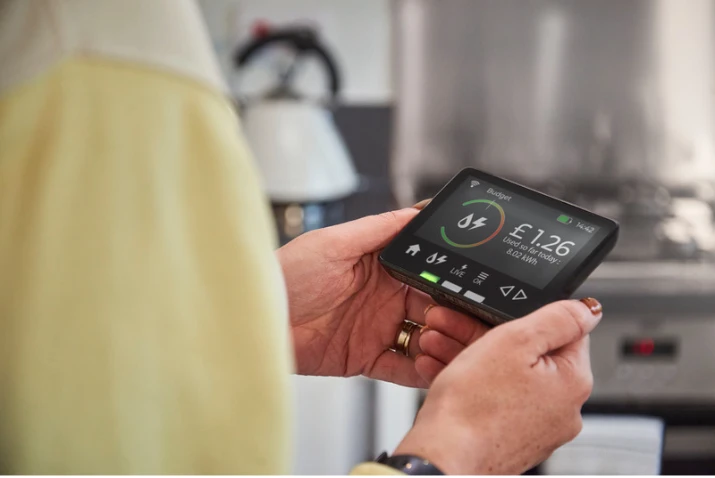
Smart meters help you keep track of your energy usage by displaying real-time on an in-home display unit (IHD). This unit is connected to your smart meter via a home area network (HAN) and because it’s portable, you can have it in a convenient location around the home where you can easily keep an eye on how much energy you’re using at different times.
The meter’s communication hub is also on a wide area network (WAN) that connects to your energy provider and relays your energy usage. That means no more estimated bills – you’ll only pay for the exact energy you’ve used each month.
When everything is working correctly, the IHD will receive a consistent signal from your smart meter, and you should always be able to see your current energy usage and latest balance.
The latest statistics on smart meters
As of the end of June 2026, there were just under 40 million smart meters being operated in domestic properties in Great Britain. 75% of all homes now have a smart meter for electricity, and 57% have one for gas. Overall, there has been around a 25% increase in the proportion of homes with smart meters since the start of 2022.
In Q2 of this year alone, there were just over half a million new installations and around 560,000 replacements made, where meters had either reached the end of their operational life or required an upgrade to be compatible with the latest technology.
The vast majority of smart meters (92%, according to the latest government figures) work as they should. But around 10% have historically had faults, and in a recent survey of their members by Which?, 31% said they’d had a problem in the past 12 months.
So if you do have a smart meter, but it is going wrong, it’s likely to be one of three issues and the good news is that they are mostly easy to fix.
My smart meter isn’t displaying information correctly
One of the most common issues is the IHD not displaying information as it should. If this happens, it doesn’t necessarily mean there’s a problem with the meter, it could simply be that the IHD is too far away from the smart meter or needs to be restarted.
The unit should ideally be in the same room as the smart meter or within 15 metres. Try moving it closer to the smart meter or restarting it. Although the IHD has a rechargeable battery that should last around four hours, it’s best to keep it plugged in, and there’s always the chance of a socket error, so you could try plugging it into a different socket. If this doesn’t resolve the issue, contact your energy supplier. If they can’t reset the connection remotely, they should be able to send an engineer out.
If the monitor itself is faulty and you’ve had it for less than 12 months, your supplier should replace it free of charge. However, if it’s older than that, you may have to pay £30-£50 for a new one.
My smart meter isn’t sending automatic readings to my provider
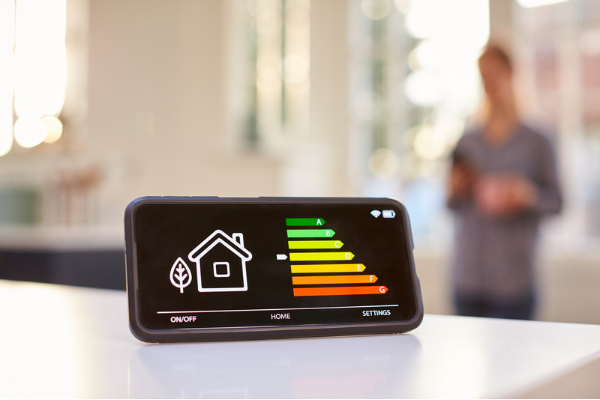
If your supplier isn’t receiving automatic updates, that’s most likely to be because your meter is working in ‘traditional mode’, rather than ‘smart mode’, meaning it’s not connecting to the WAN network. In this case, you’ll receive an estimated bill.
The problem could be:
• A software update is required for your meter
• You’ve switched supplier and they haven’t yet connected to your meter
• You have an older meter that needs upgrading
• The location or environment of your meter is causing an issue
The first step is to look on your latest statement or supplier’s app to see whether your readings are labelled ‘smart’/‘s’ or ‘estimated’/‘e’. If they’re not smart, check how often your meter should be sending data – either monthly, daily or half-hourly. Try setting it to half-hourly and see whether that fixes the issue.
If the meter still doesn’t seem to be connecting, contact your supplier and ask them to investigate.
I’ve changed supplier and now my smart meter isn’t working
This is most likely to be an issue if you transferred over to a smart meter early on and have a first-generation model (SMETS1). These were only set up to communicate with the supplier that installed them, so if you’ve now switched, you’ll probably need to ask your new supplier for a replacement meter.
However, second-generation meters (SMETS2), which energy companies have been installing for several years now, are automatically connected to the smart network, meaning any supplier should be able to operate them. So if you have one of these and are still having trouble after switching, just contact the energy company to report the issue.
Can I get any compensation if my smart meter stops working?
Ofgem rules state that within five days of you reporting a problem, your supplier must tell you how it plans to resolve the issue. If that doesn’t happen, your supplier has to pay you £40 compensation, which you should receive automatically.
What can I do if I’m not happy with my smart meter service?
If you have reported an issue to your supplier and they haven’t been able to fix it for you, the first step is to make a formal complaint. Their website should outline their complaints procedure, and they are obliged to come back to you with a decision within eight weeks.
After that, if you’re not happy with their service, you can complaint to the Energy Ombudsman, and if you need some advice or assistance, Citizens Advice consumer service should be able to help.